Your eyes need a break.
Blinkr makes sure they get one.
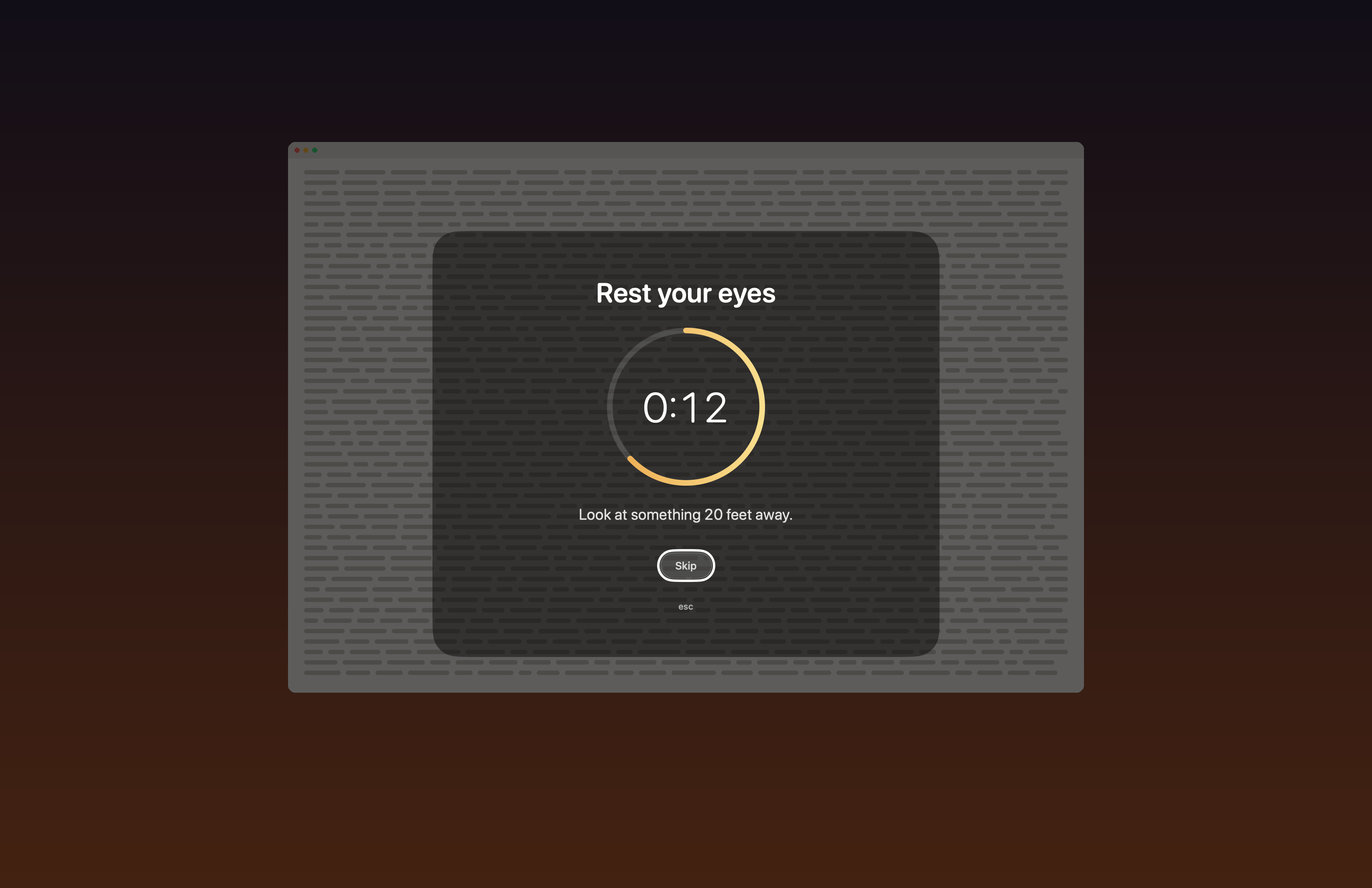
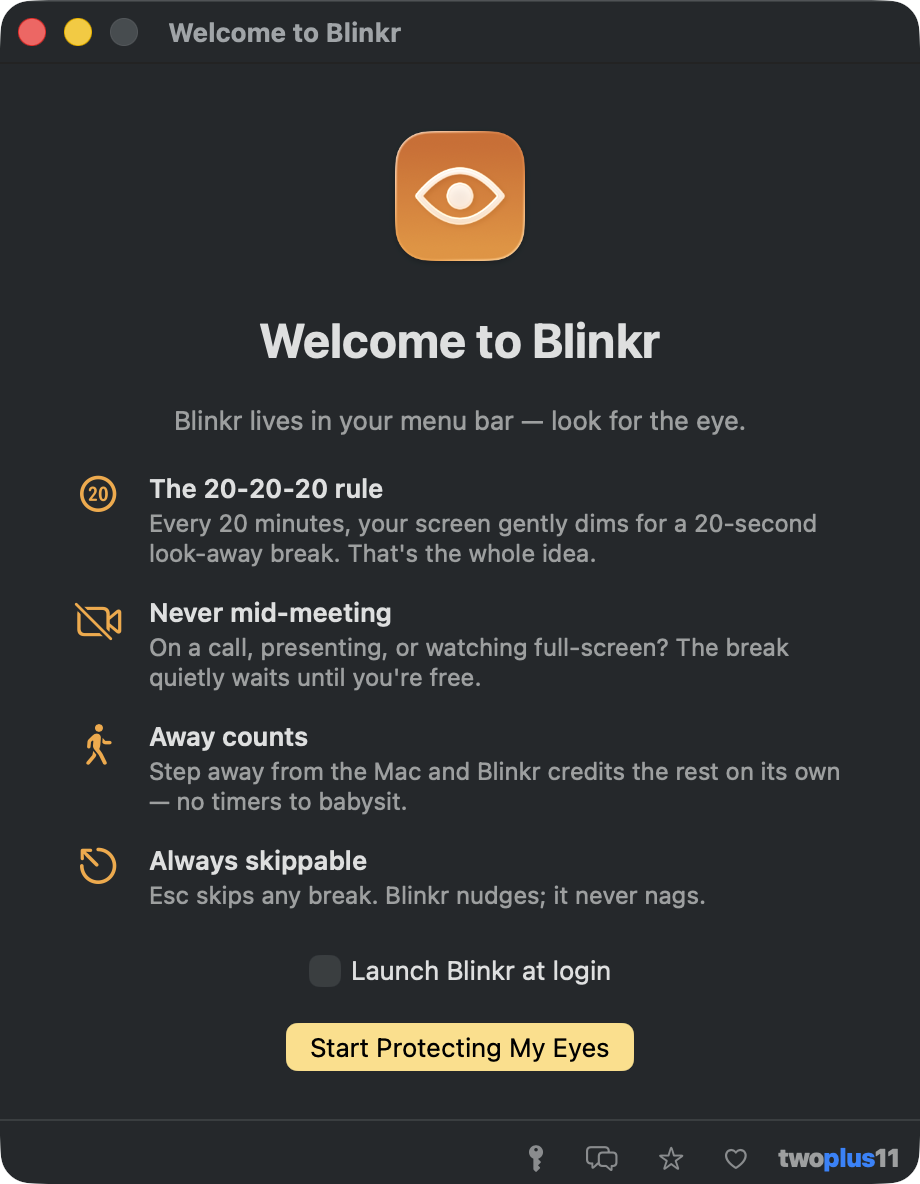
The 20-20-20 rule as a polished menu-bar app: every 20 minutes your screen gently dims for a 20-second look-away break, with a soft countdown, a calm suggestion, and an Esc key that always works. And it never, ever interrupts a call.
A Windows build is on the way
How it works
You don't run Blinkr so much as forget it's there. It sits in the menu bar, counts quietly, and asks for twenty seconds at a time.
Keep working
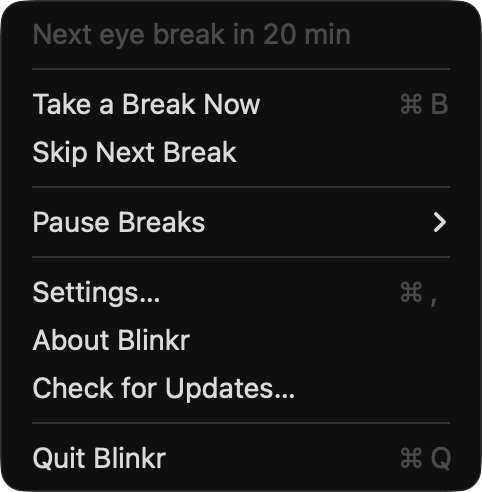
Blinkr lives in your menu bar and counts down your next break. The menu always knows: "Next eye break in 12 min."
Get a gentle heads-up
Fifteen seconds out, a small pill appears under the menu bar. Not ready? Postpone five minutes or skip. One click, no guilt.
Let the screen rest
Every display fades to a soft dim. An amber ring counts twenty seconds while a calm line suggests where to look. Esc leaves instantly.
Pick up where you left off
The dim lifts, your windows are untouched, and your keyboard never locked. A soft chime, if you want one, says you're done.

Polite by design
Most break apps get deleted the first time they dim a presentation. Blinkr's whole personality is knowing when not to speak.
On a call? It waits.
While your camera or microphone is in use, a due break is held, silently. It arrives the moment the call ends. Held, never skipped.
Presenting? It waits.
Full-screen apps (a slideshow, a movie, a game) hold breaks the same way. Even the heads-up pill stays away while you're on stage.
Away? Already counted.
Step away from the Mac and Blinkr credits the rest on its own, then starts you fresh when you're back. Short pauses bank your remaining time instead of resetting it.
Behind? It remembers.
A break that had to wait shows up in the menu as "ready: waiting for your call to end," and VoiceOver says so too. Nothing vanishes silently.

The rest of it
Stretch breaks
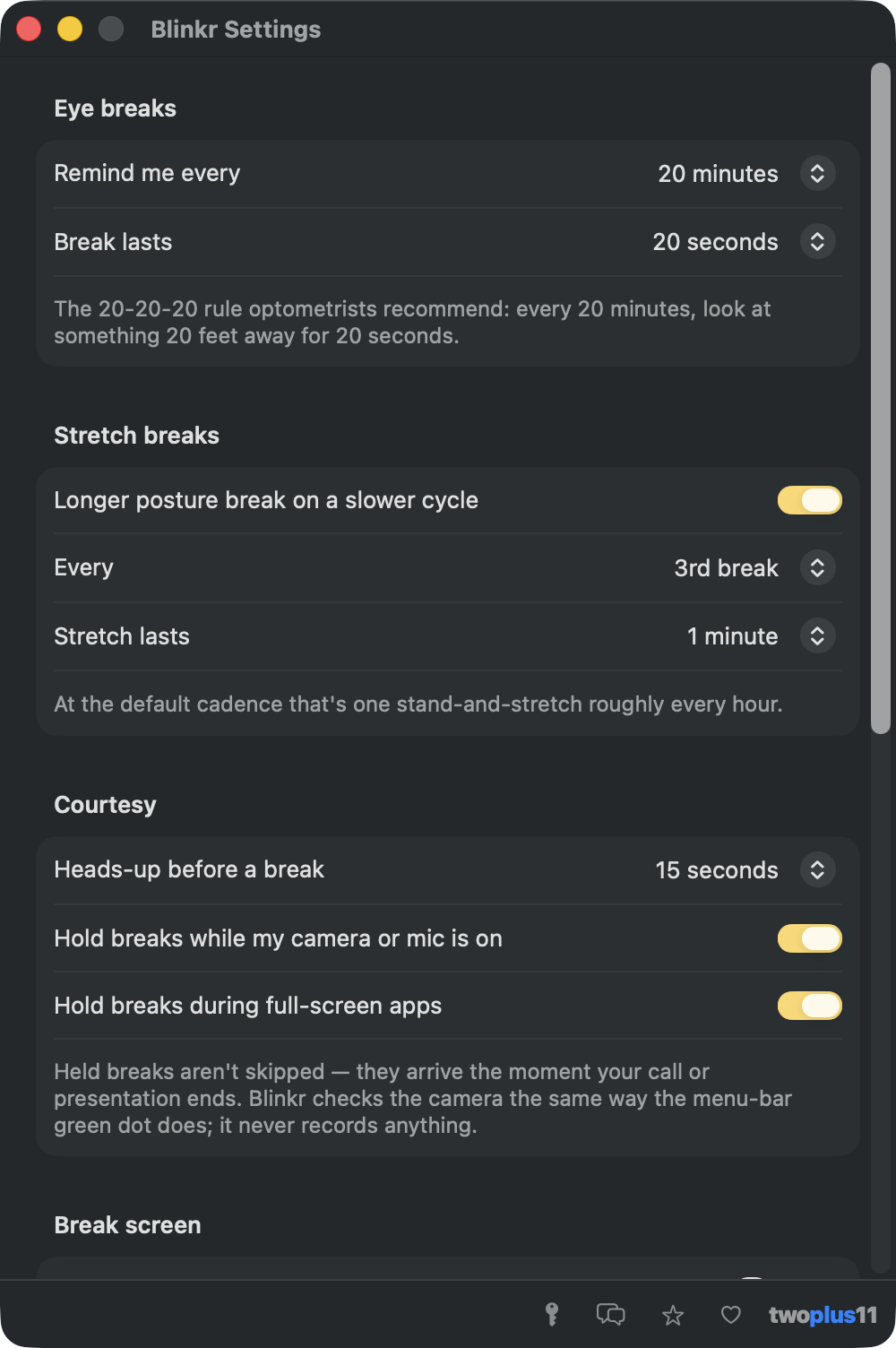
Every third break (roughly hourly) is a longer stand-and-stretch. Tune the cadence and length, or turn it off.
Every display
All screens dim together, so a second monitor never stays glaring while the first one rests. Displays can come and go mid-break.
A gentle tally
The menu counts today's breaks and keeps a day streak, one that a quiet morning doesn't break. Skips are counted honestly, never scolded.
Thirteen languages
Every surface (break screen, menu, VoiceOver) in 13 languages, with a picker that switches live. No relaunch.
Accessible for real
VoiceOver announces warnings, holds, and how to leave a break. Keyboard works everywhere. Reduce Motion is honored. Every color is generated to WCAG AA.
Updates, in-app
A weekly check offers new versions right in the app, with a visible off switch, because optional should mean optional.
Private by construction
Blinkr has no idea what you look at all day, and it likes it that way.
Four tiny signals
Seconds since your last keypress (never which keys), whether a camera or mic is in use (never any recording), whether a window fills a display (never its contents), and whether the screen is locked. That's the entire sensorium.
Zero permission prompts
Blinkr never asks for a single macOS permission: no Screen Recording, no Accessibility, no camera. Nothing to grant is the proof.
Two requests, both optional
About once a week it asks twoplus11.com whether a newer version exists, sending the app version and nothing else. Flip that off in Settings. The only other call is the daily re-check of a business license key, which never happens until you enter one. On a personal install with updates off, Blinkr makes no network connections at all.
The long version is short too: the Blinkr privacy page.
Pricing
Personal use is free forever: the same app, nothing held back. Free for commercial use at work too, no license required.
- Every feature, no trial, no nagging
- All thirteen languages
- Signed, notarized, universal
- Updates included, in-app
- No account, ever
- Everything in Personal
- Use it commercially at work, free
- No license to buy, ever
- Free updates forever
Free for everyone, including commercial use at work. There is no license to buy and no subscription.
Two clicks and no approvals.
Download the app and drag it into Applications. That's it: no Terminal, no Homebrew, no sign-up, and not a single macOS permission prompt.
Version 1.0.0 · Released August 30, 2026 · Free updates forever
Open Anyway trip through System Settings and no Terminal. Open the DMG, drag Blinkr into Applications, and launch it.Blinkr.dmg this page serves.SHA-256 checksum
Or have your Mac compare them for you: save Blinkr.dmg.sha256 beside the download and run shasum -a 256 -c Blinkr.dmg.sha256.
Questions, answered
Does Blinkr interrupt video calls?
No, that's the point. While your camera or microphone is in use, or anything is running full screen, a due break is held, not shown. It arrives the moment your call or presentation ends. Held breaks are never lost.
What is the 20-20-20 rule?
A comfort guideline optometrists widely share for screen fatigue: every 20 minutes, look at something 20 feet (about six meters) away for 20 seconds. Blinkr turns it into a habit you don't have to think about.
Can I skip a break?
Always. Esc skips any break instantly, there's a Skip button on the break screen and on the heads-up pill, and you can postpone five minutes or pause breaks for an hour, until tomorrow, or until you say so. Blinkr nudges; it never nags.
Does Blinkr watch what I'm doing?
No. It reads four tiny local signals: how long since you last touched the keyboard or mouse, whether a camera or microphone is in use, whether a window covers a whole display, and whether the screen is locked. Never what you type, never window contents, never any recording. It needs no macOS permissions at all, which you can treat as the proof.
What happens if I walk away from my Mac?
Blinkr notices the quiet, parks the timer, and credits the rest on its own. A coffee run is a break, no overlay needed. Lock the screen mid-break and the break counts as taken.
Does it work with more than one display?
Yes. Every display dims together during a break, so a second monitor never stays glaring while the first one rests. Plug or unplug displays mid-break and the overlay follows.
Is Blinkr really free?
For personal use, yes: free forever, every feature included. Using it at work on a company machine is free too, with no license to buy.
Like what I make?
All my apps are free. If they save you time or make your day a little easier, a tip keeps me going. It goes straight to development, no middleman.
Hear about new apps first
One short email when twoplus11 ships a new Mac app. No spam, and unsubscribing is one click that works instantly.
One confirmation email first. You're only in if you click it.