100% On-Device · Never Touches Your Original

Why is this file
so big?

Drop any file — a PDF, photo, Office doc, video, or a whole folder — and Heftr gives you an X-ray of exactly what's eating the bytes, a plain-English verdict, and a one-click smaller copy where it's safe. Entirely on your Mac. Nothing is uploaded, and your original is never touched.

v1.1.3 · macOS 12+ · Apple Silicon & Intel · Signed & notarized by Apple · No account

How it works

Drop it. See it. Shrink it.

Drop the file

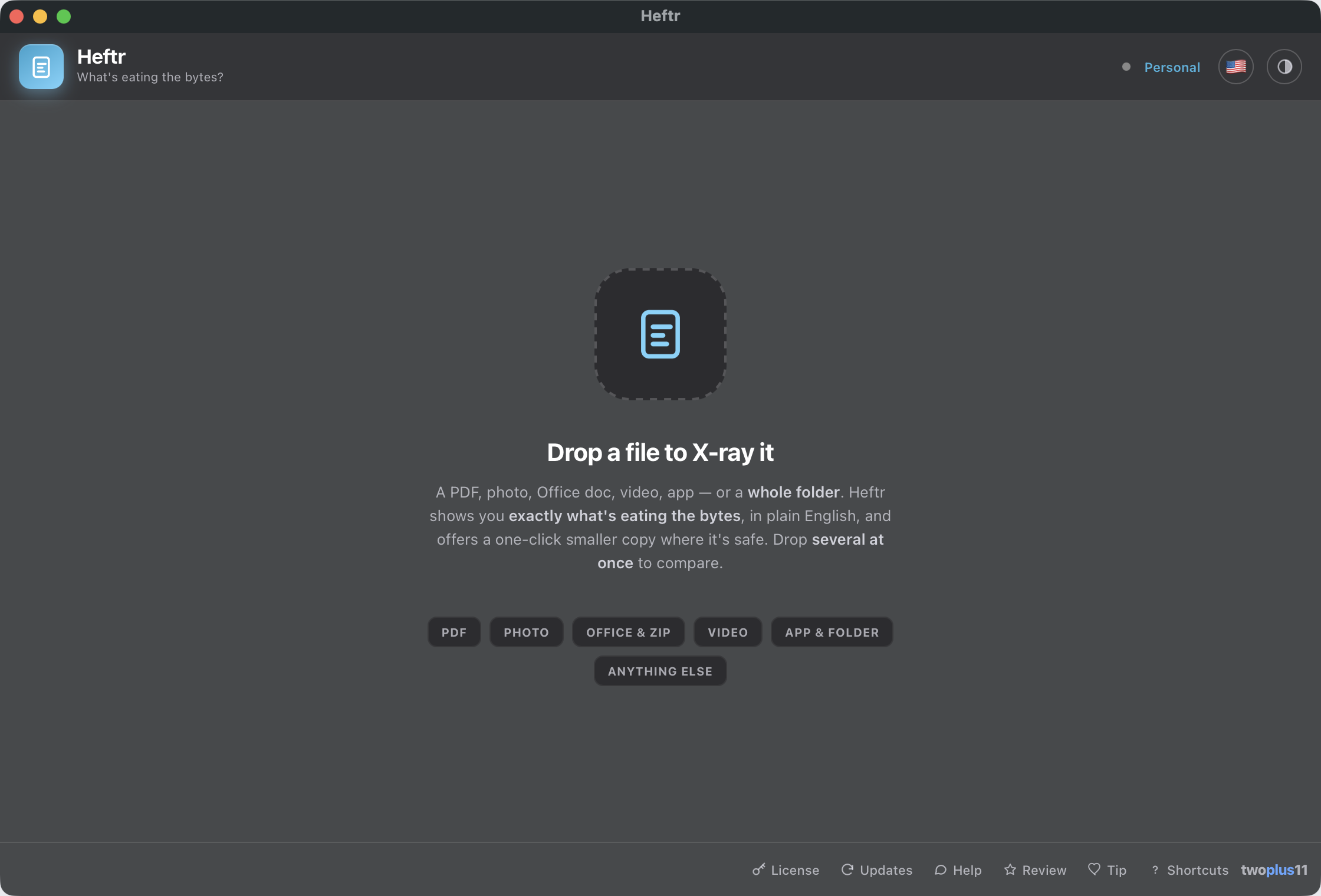
Drop any file onto the window — a PDF, photo, Office doc, video, app, or a whole folder. Drop several at once to compare them.
See the breakdown
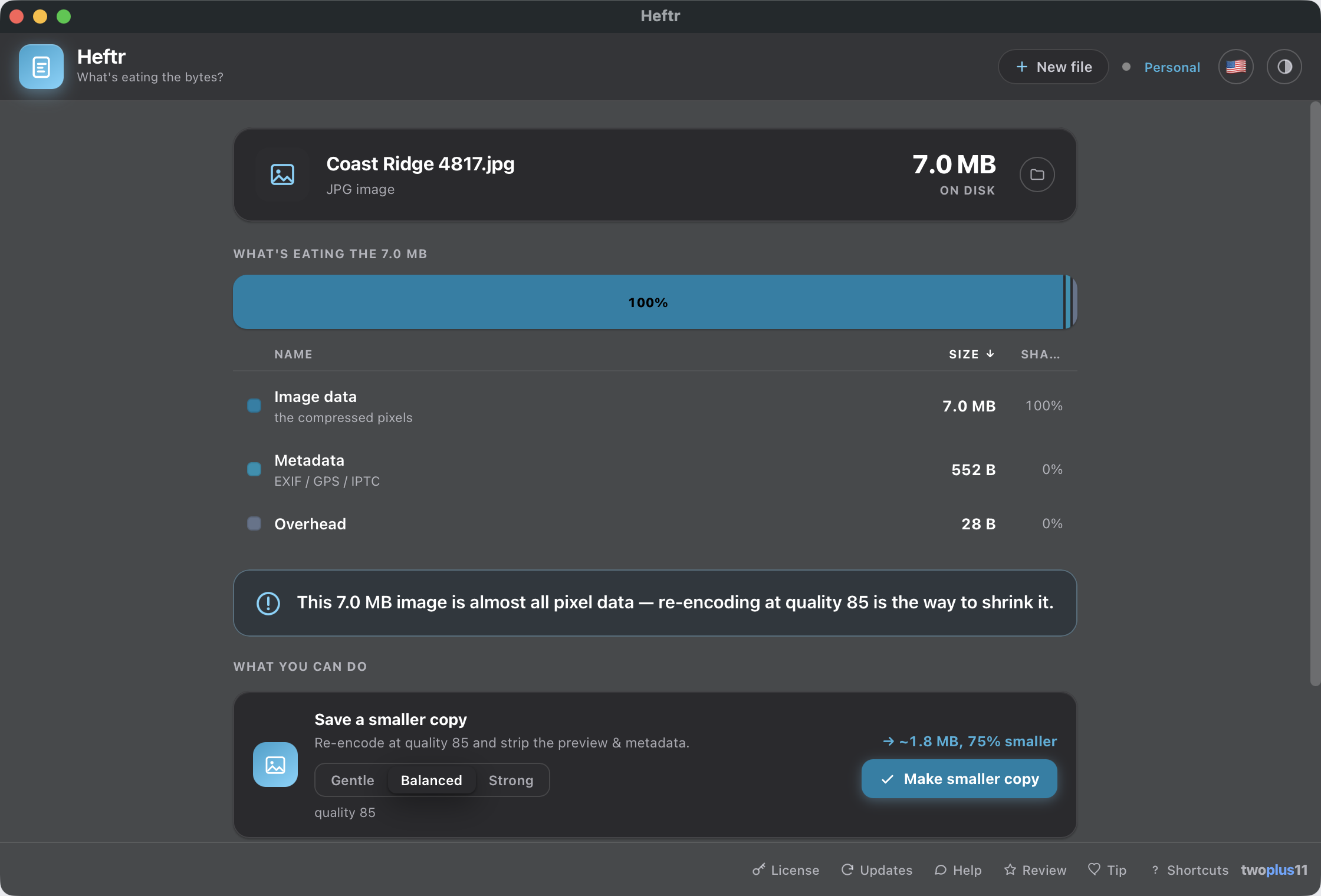
A beautiful segmented bar shows exactly what's taking up the space — images, fonts, content, media, overhead — and it always reconciles to the real size on disk.
Read the verdict
One plain-English sentence tells you why it's big — "85% of this PDF is images" — so you know what's actually worth doing something about.
One-click smaller copy
Where there's a safe fix, Heftr shows the projected size and writes a smaller copy next to your file — the original is never touched.

Features

Finally know what's eating the bytes.

One focused, native window that inspects the file honestly — and only offers a fix when there's a safe one, without ever sending your file to the cloud.

The file-size X-ray
A genuinely beautiful segmented breakdown bar with a matching ranked list and live cross-highlighting — images, fonts, content, media, overhead. Every breakdown reconciles to the real size on disk, so the segments always add up to what Finder shows you.
Reconciles exactly
Shrink Office & ZIP files
For docx, xlsx, pptx, zip and epub, Heftr buckets every member by size, names the single biggest one, and re-encodes the oversized PNG/JPEG media inside into a smaller copy — the document stays perfectly valid.
docx · xlsx · pptx · zip
PDF shrink that keeps text sharp
The most common "why is this PDF huge" case — embedded photos — is one click. Heftr downsamples the raster images to ~150 DPI via a Quartz filter while text and vectors stay vector, never rasterized, so the copy is smaller but still crisp and selectable.
Never rasterized
See inside a photo
For JPG, PNG, HEIC and TIFF, Heftr gives a byte-exact split of the actual pixel data vs an embedded preview vs the ICC color profile vs metadata — then re-encodes at quality 85 and strips the preview and metadata into a smaller copy.
Byte-exact
Get it under X MB
Type a target and Heftr picks the gentlest fix intensity that still fits — for images, PDFs and Office/ZIP media — and shows the projected result before writing. If it can't reach the target safely, it says so and saves the smallest it could.
Target size
Folder mode — a mini-DaisyDisk
Drop a folder or an .app and get an interactive, fully accessible treemap of what's eating the space, biggest first, with a ranked list and the biggest individual files anywhere in the tree. Click any block to drill in; a breadcrumb walks you back.
Interactive treemap
Batch everything
Drop several files at once to rank and compare them, drill into any one, and shrink every item that has a safe fix in a single pass — with per-file progress and results.
Video, diagnosed
For MP4, MOV and M4V, Heftr breaks down the per-track Video vs Audio vs container size with a bitrate verdict — then hands the actual re-encode to Squishr, its sibling built for that. Heftr never touches video pixels itself.
→ Squishr
Copy the report
One click copies a clean, plain-text summary of any breakdown to the clipboard — paste it into a ticket, an email, or a note to remember what was hiding in that file.
Never touches your original
Heftr is non-destructive by design. Every fix writes a new (smaller) or (compressed) copy alongside the original, and existing files are never overwritten.
Originals untouched
100% on your Mac
Nothing is uploaded — ever. No account, no cloud, no telemetry. The only times Heftr touches the network are an optional business-license check and the update check (which sends only the app version).
Privacy
Signed & notarized
Opens with a normal double-click — no "unidentified developer" warning, no Open Anyway, no Terminal. Universal for Apple Silicon and Intel, notarized by Apple.
No warnings
Built for everyone
Fully keyboard-driven — the treemap, drill-in, suggestions and all — with VoiceOver labels throughout. The UI meets WCAG 2.1 AA contrast in light and dark and respects Reduce Motion.
WCAG 2.1 AA
What Heftr reads
PDF Photos — JPG · PNG · HEIC · TIFF Word — .docx Excel — .xlsx PowerPoint — .pptx ZIP & EPUB Video — MP4 · MOV · M4V Apps & folders Anything else → .zip

Pricing

Free for you. Fair for work.

Personal use is free forever — the full app, no key, no account, no watermarks. If Heftr earns its keep at your job, a one-time business license keeps it supported.

Personal
Free forever
For individuals and personal projects
  • The full X-ray — every file type, verdict and fix
  • Office/ZIP, PDF, image and target-size shrinking
  • Folder treemap, batch and copy-report
  • 100% on-device — nothing uploaded
  • No account, no nag screens
  • Free updates forever
Download — Free
Business
$5 / computer
One-time payment — no subscription
  • Everything in Personal
  • Use commercially at work
  • One-time payment — no subscription
  • Free updates forever
  • Supports solo indie development

The personal tier is the full app — buy a business license only if you use Heftr commercially. One seat per computer, paid once, yours for life. Secure checkout via Stripe; your license key is emailed instantly.


Download & install

Get set up in seconds.

Download the app and drag it into Applications — that's it. No Terminal, no Homebrew, no sign-up.

Download Heftr for Mac — Free

Version 1.1.3 · Released July 14, 2026 · Free updates forever

macOS 12 Monterey or later · Apple Silicon or Intel
A single universal app — everything Heftr needs to inspect and shrink your files is built right in. Nothing else to install.
Opens with a double-click
Heftr is signed with an Apple Developer ID and notarized by Apple, so it opens cleanly the first time — no Open Anyway trip through System Settings, no Terminal. Open the DMG, drag Heftr into Applications, and launch it.

FAQ

Common questions.

Is Heftr really free?
Personal use is free forever — no account, no trial timer, no watermarks, and the full app. If you use Heftr at work, a one-time $5 business license per computer keeps it supported.
What does Heftr actually do?
Drop any file and Heftr shows you a breakdown of exactly what's taking up the space — images, fonts, content, media, overhead — a plain-English verdict of why it's big, and a one-click smaller copy where there's a safe one. Every breakdown reconciles to the real on-disk size, so the segments always add up to what Finder shows you.
Will Heftr change my original file?
Never. Heftr is non-destructive by design: every fix writes a new (smaller) or (compressed) copy next to the original, and existing files are never overwritten. Your original is left exactly as it was.
How does the PDF shrink work — will my text get blurry?
No. Heftr downsamples the embedded raster images (usually photos) to about 150 DPI using a Quartz image filter, while the text and vector graphics stay vector — they are never rasterized, so the copy is smaller but still crisp and selectable. Heftr shows the projected size from a real dry-run first, and refuses gracefully when a PDF can't be shrunk safely (text-only, already efficient, or password-protected).
What kinds of files can Heftr inspect and shrink?
Office and ZIP files (docx, xlsx, pptx, zip, epub), PDFs, images (jpg, png, heic, tiff), video and audio, app bundles and folders, and anything else. It has a working one-click fix for Office/ZIP media, images, PDF images, and a compress-to-zip for generic files. Video is diagnosed and handed to Squishr for the actual re-encode; folders get a read-only treemap.
Can Heftr compress video?
Heftr diagnoses video — it shows per-track Video vs Audio vs container sizing and a bitrate verdict — but it hands the actual re-encode to Squishr, its sibling app built for that. Heftr never re-encodes video pixels itself.
How does the business license work?
If you use Heftr commercially, buy a one-time $5 license per computer from the pricing section — secure checkout via Stripe, and your license key is emailed instantly. Enter it in Heftr's License screen to register. The personal tier is the full app with no nag screens, so you can evaluate it freely first.
Does Heftr upload my files anywhere?
No. Every analysis and fix runs entirely on your Mac — nothing you open is ever uploaded, and there's no account and no telemetry. The only times Heftr contacts our server are if you enter a business license key (to validate it) or if the weekly update check runs (which sends only the app version). You can turn the update check off.
What is folder mode?
Drop a folder or an app bundle and Heftr draws an interactive, fully accessible treemap — a mini-DaisyDisk — of what's eating the space, biggest first, alongside a ranked list and the biggest individual files anywhere in the tree. Click any block to drill in; a breadcrumb walks you back. The scan streams a live item count and never blocks the window.
Can I get a file under a specific size?
Yes. Target-size mode — "get it under X MB" — picks the gentlest fix intensity that still fits for images, PDFs and Office/ZIP media, and tells you the projected result before writing anything. If the target can't be reached safely, it says so and saves the smallest copy it could manage.
Will macOS warn me about an unidentified developer?
No. Heftr is signed with an Apple Developer ID and notarized by Apple, so it opens with a normal double-click the first time — no Open Anyway dance, no Terminal.
How do I update Heftr?
Re-download the latest Heftr.dmg from this page, open it, and drag the new Heftr into your Applications folder. Heftr also checks about once a week and quietly badges the update button when a newer version exists — never a pop-up, and nothing is downloaded automatically. You can turn that off in the update panel.
Is there a Windows version?
Not yet — Heftr is Mac-only for now. It's built as a native Mac app from the ground up, using the system's own frameworks to read and shrink your files.
Also by the same solo developer Squishr Heftr diagnoses your video, then hands it to Squishr for the actual re-encode. Squishr compresses any video to a guaranteed target size — Discord's 10 MB, email's 25 MB, or any size you type — entirely on your Mac. Free for personal use.

Like what I make?

All my apps are free for personal use. If they save you time or make your day a little easier, a tip keeps me going — it goes straight to development, no middleman.