One focused, native window that does the math other tools won't, without ever sending your video to the cloud.
🎯
Guaranteed to fit
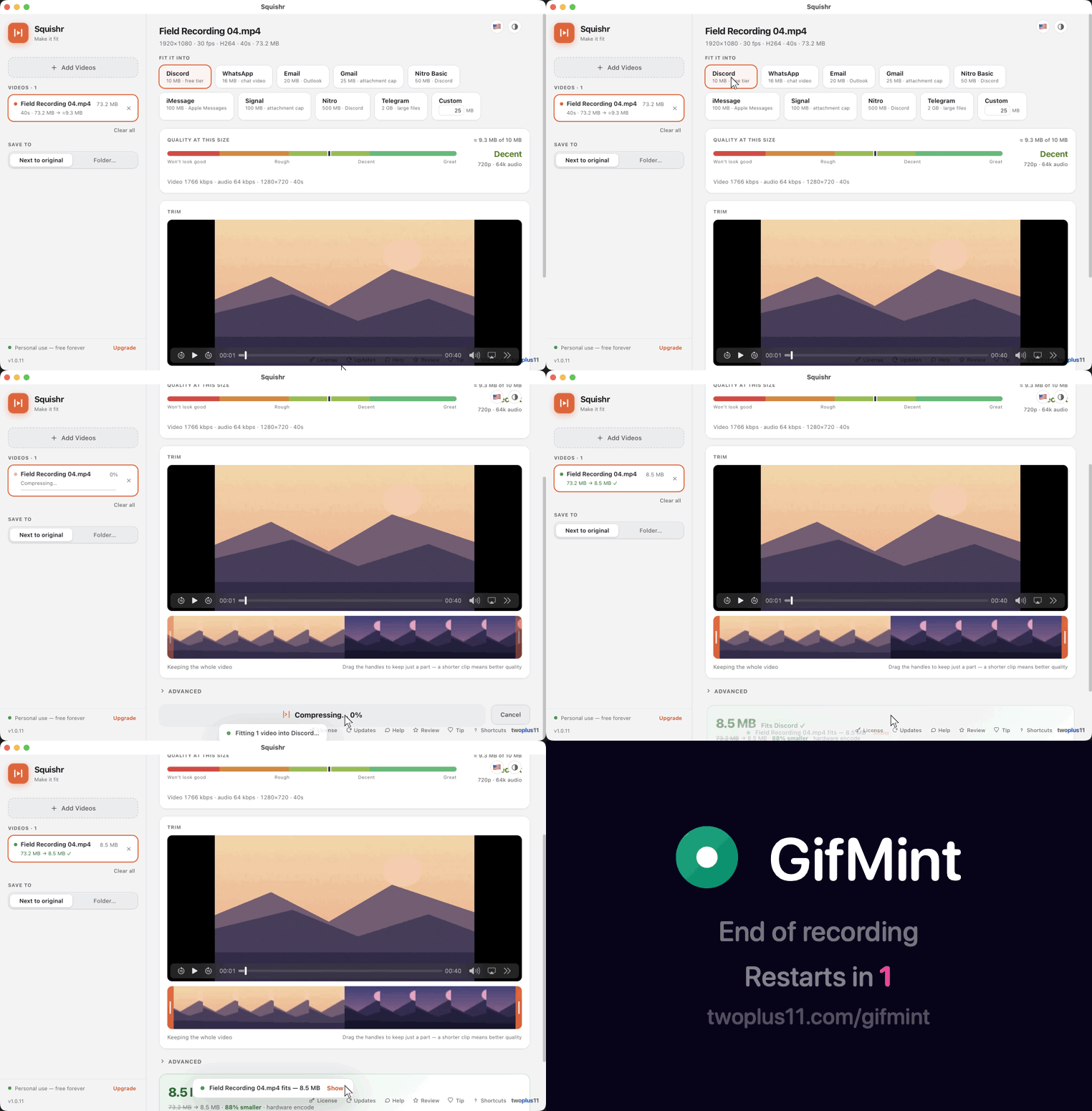
Squishr computes the exact bitrate from your video's real duration, encodes, then verifies the actual byte size of the output and automatically re-encodes smaller if it's over, with a two-pass precision fallback. The file always lands under the limit.
Verified byte size
📋
Copy, then paste the file
When the squish finishes, hit Copy and the whole video file lands on your clipboard. Paste it straight into Messages, Discord, Mail, or a Finder window: no hunting down the export, no dragging across three windows.
Paste anywhere
📊
An honest quality meter
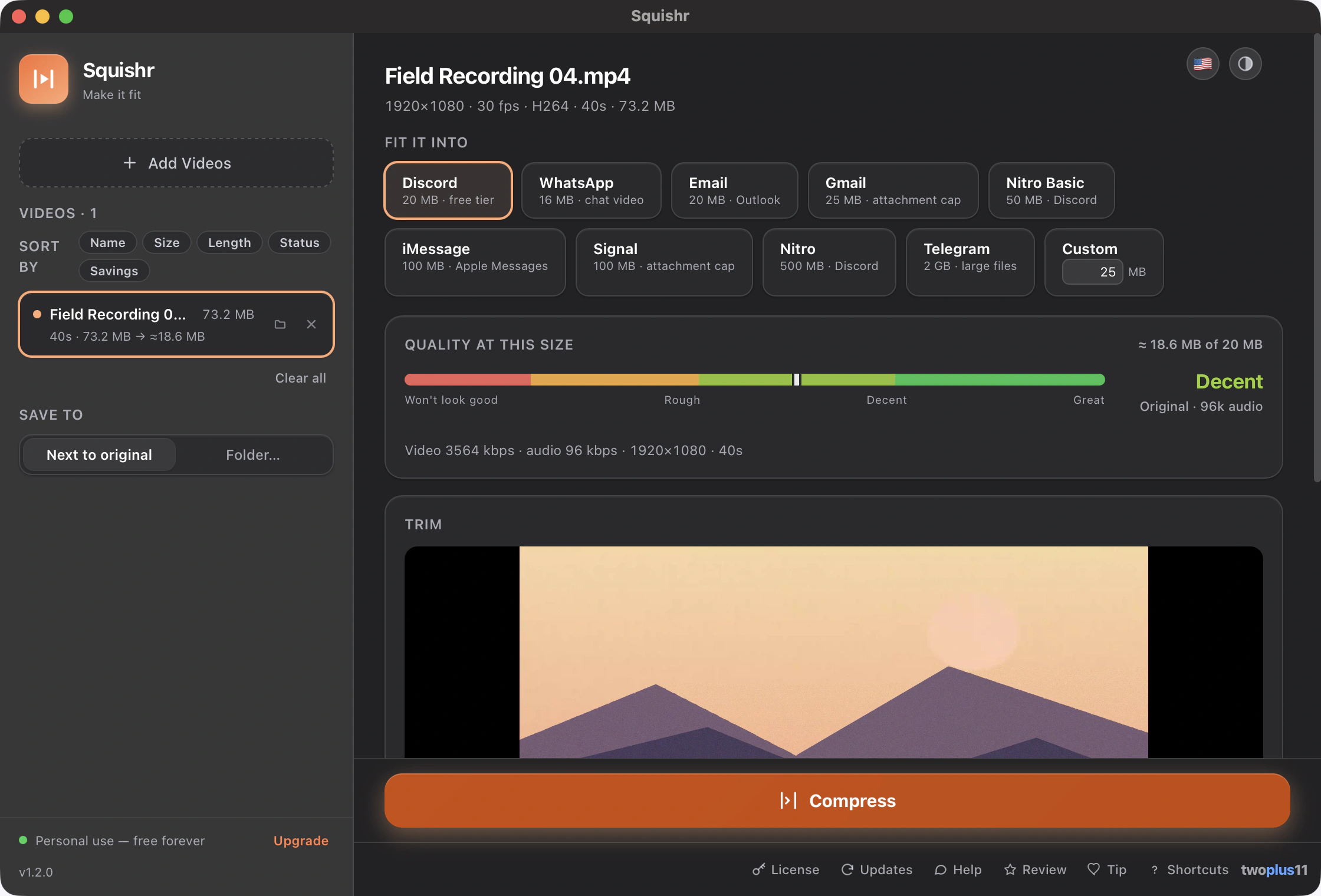
Before you wait for an encode, a meter predicts how the video will look at that size (Great, Decent, or Rough) with one-tap fixes: drop to 720p, cap 30 fps, shrink the audio, or trim it shorter.
Before encoding
✂️
Trim on a filmstrip
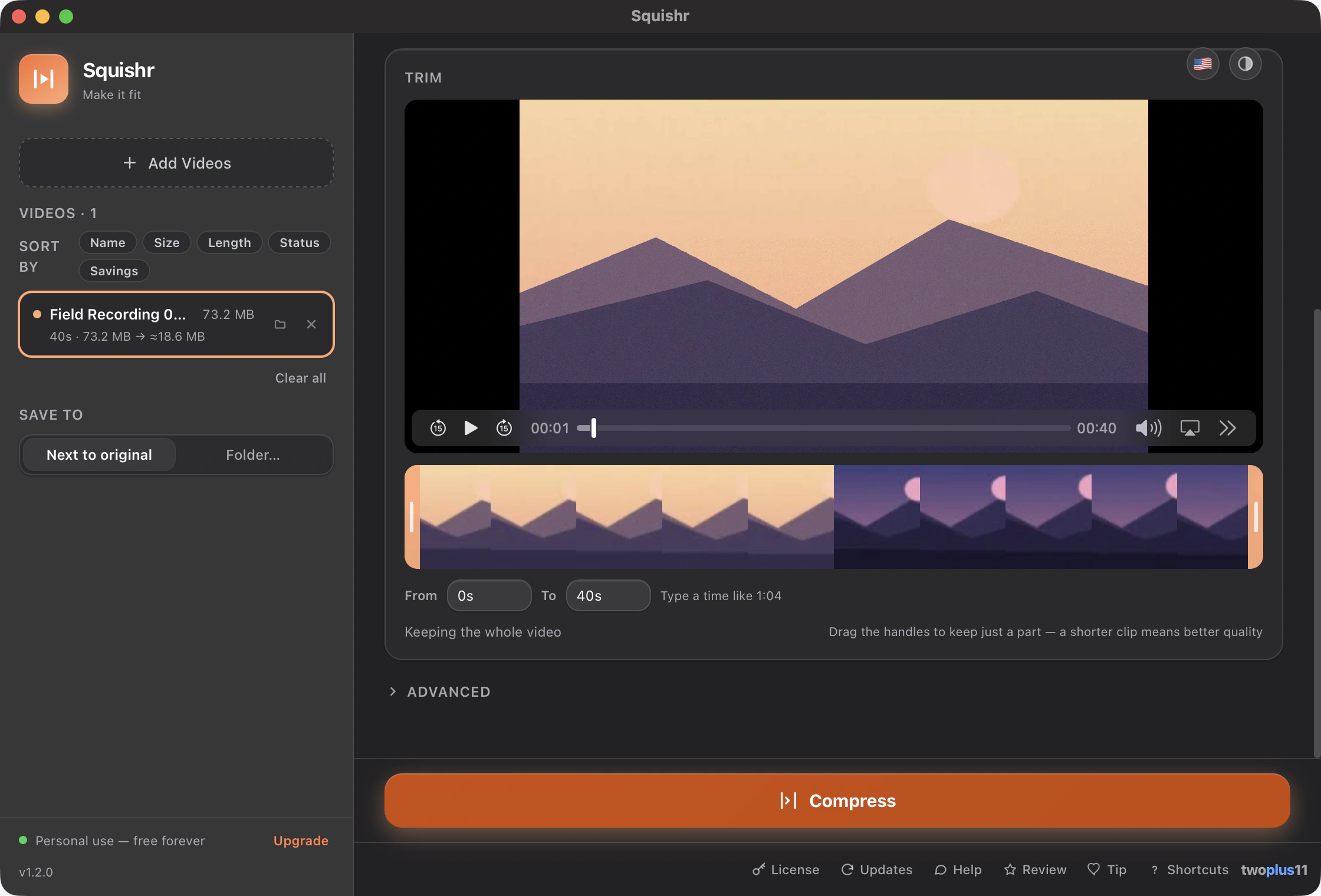
Drag handles on a filmstrip to keep just the moment, or type the exact in and out times when dragging isn't precise enough. A shorter clip means dramatically better quality at the same target; the meter and size estimate update live.
🗂️
Batch everything
Drop any number of videos (or a whole folder, subfolders and all, in reading order) and compress them to one target, with per-file progress and results. Sort the queue by name, size, length, status or how much each one saved. Every row has its own stop button, so a long encode can be ended without stopping everything queued behind it, and every row can show its original in Finder, including one that failed, which is exactly when you want to go and look at the file. When the queue spans more than one folder, each row says which folder it came from.
💬
Presets for real limits
Discord (20 MB), WhatsApp (16 MB), Email (20 MB), Gmail (25 MB), Discord Nitro Basic (50 MB), iMessage (100 MB), Signal (100 MB), Nitro (500 MB), Telegram (2 GB), or any custom size you type. Targets use the strictest interpretation of each cap, so uploads never bounce.
📱
The hard files work
Rotated iPhone portrait video stays portrait. HDR is tone-mapped properly so colors don't wash out. 120 fps screen recordings get capped when the budget is tight, 5.1 surround is downmixed, GIFs become tiny MP4s, and variable-frame-rate captures keep their timing.
HDR · 120 fps · 5.1 · GIF
⚡
Apple hardware speed
Encoding runs on Apple VideoToolbox hardware, so most videos compress in a fraction of their runtime. Output is a standard MP4 (H.264 + AAC, faststart) that plays everywhere, with HEVC and AV1 there when you want a smaller file.
VideoToolbox
🎚️
Pick your trade
Faster, Balanced, or Best quality, which goes straight to two-pass encoding for the most picture per byte, and says up front that it will take longer. Choose AV1 and a long video holds together at a size where H.264 falls apart; Squishr tells you plainly that it is slow and worth checking playback first.
H.264 · HEVC · AV1
📈
Honest progress
The progress bar tracks the real encode from the first frame to the last (no leaping to 99% and hanging there) and tells you how long is left, for the video in front of you and for the whole batch. When it says almost done, it's almost done.
🛟
Non-destructive
Your originals are never modified. Every compress writes a new file ("clip (Discord).mp4") next to the original or into a folder you choose, and existing files are never overwritten: there is no Replace switch to turn on, and no output can take the name of a video sitting in your queue. Stopping a compress leaves the folder exactly as it found it, even if you stop it on the very last step.
Originals untouched
♾️
Unlimited, no strings
No watermarks, no daily caps, no queues, no file-size ceilings on input. Compress as many videos as you like, forever, for free.
🔒
100% on your Mac
Nothing is uploaded, ever. No account, no cloud, no usage analytics. Web compressors make you upload your video to someone else's server; Squishr never does.
Privacy
🍎
Signed & notarized
Opens with a normal double-click: no "unidentified developer" warning, no Open Anyway, no Terminal. Notarized by Apple.
No warnings
♿
Built for everyone
Fully keyboard-driven (presets, trim handles, fixes and all) with VoiceOver labels throughout, and the UI meets WCAG 2.1 AA contrast in light and dark.
WCAG 2.1 AA
🌐
13 languages, built in
Squishr speaks 13 languages out of the box: German, English, Spanish, French, Italian, Japanese, Korean, Dutch, Polish, Brazilian Portuguese, Russian, Turkish and Simplified Chinese. It auto-detects your Mac's system language on first launch, or pick one yourself anytime from the in-app flag picker; the whole window follows, sheets and row labels included.
13 languages
🔔
Automatic update checks
Squishr quietly checks about once a week and badges the update button when a newer version is ready (never a pop-up), and nothing downloads or installs automatically. Turn it off anytime.