100% On-Device · Free for Personal Use

Every PDF tool.
None of the uploads.

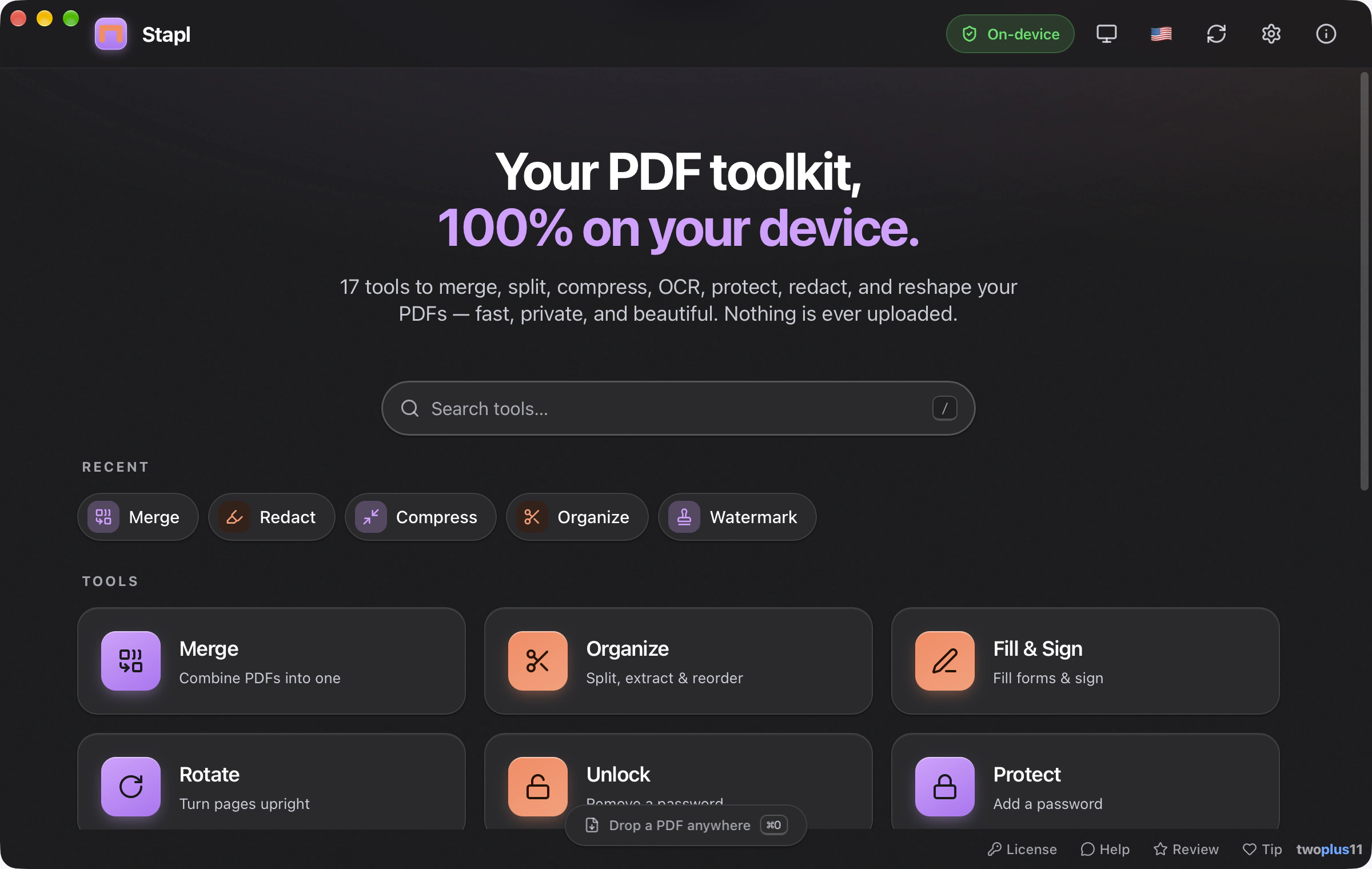
Merge, split, compress, OCR, protect, redact, watermark and reshape your PDFs — fifteen focused tools in one beautiful Mac app. Everything runs on your device. Nothing is ever uploaded.

v1.0 · Apple Silicon & Intel · macOS 12+ · Signed & notarized by Apple · No account

How it works

Open, pick a tool, done.

Open your PDF
Drag a file — or several — onto the window, or press ⌘O to pick them. Stapl shows page thumbnails instantly.
Pick a tool
Choose from fifteen — merge, compress, OCR, redact, protect and more. Each opens a focused workspace with exactly the controls it needs.
Save
Stapl writes the result wherever you choose and offers to reveal it in Finder. Every byte stayed on your Mac.

Features

Fifteen tools. One beautiful app.

Everything you reach for a sketchy web converter to do — except nothing is ever uploaded, and it's actually nice to use.

Merge & combine

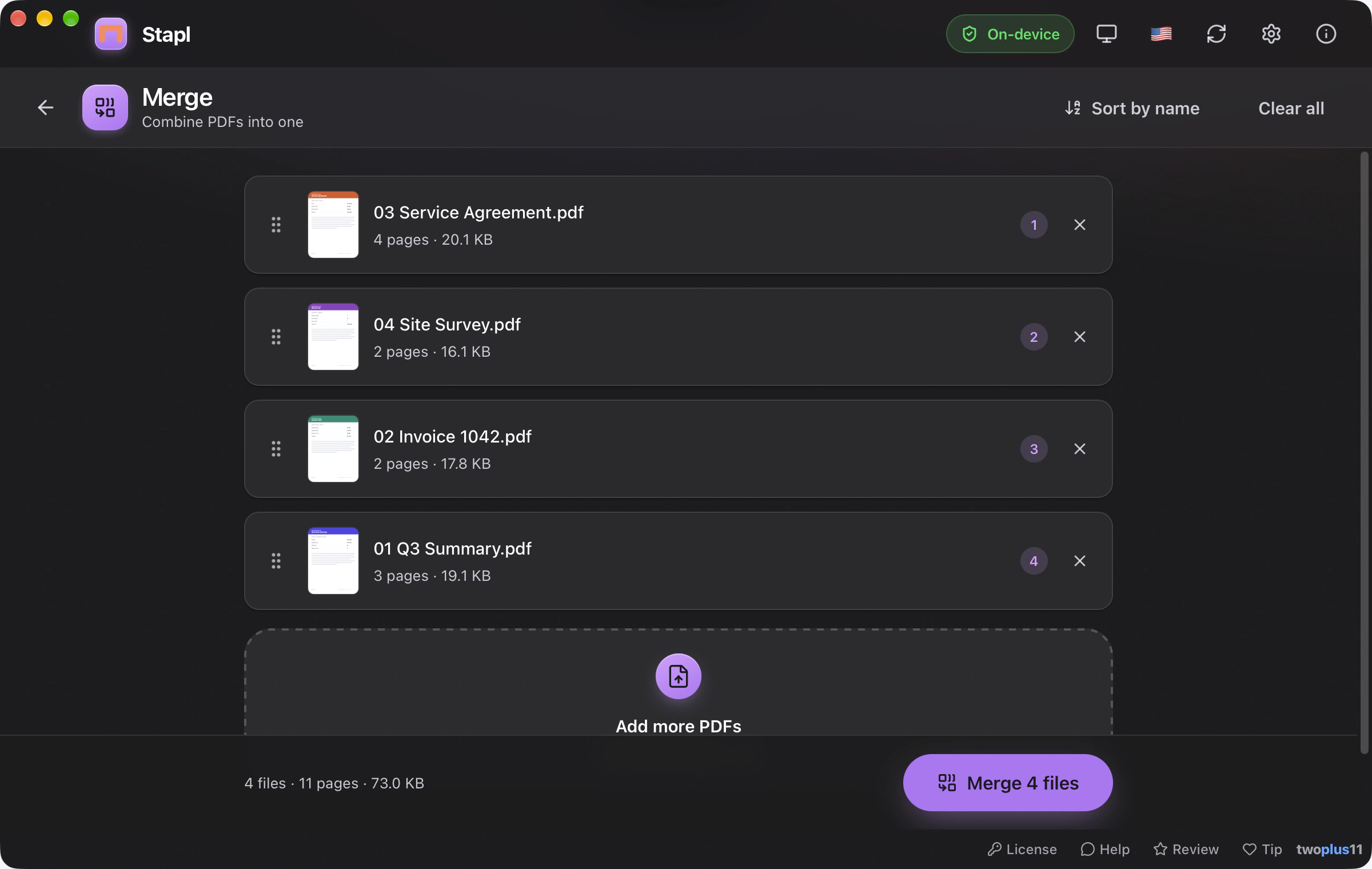
Stitch several PDFs into one. Drag pages and files into the exact order you want, with live thumbnails the whole way.
Split, extract & organize
Pull out a range, delete pages, reorder, or split a big document into separate files — all from a visual page grid.
Compress
Shrink heavy PDFs with clear quality tiers, and see exactly how much space you saved before you commit.
OCR your scans
Add an invisible, selectable text layer to a scanned document, so it becomes searchable and copy-pasteable — entirely on-device.
Redaction that actually redacts
Black out sensitive text and it's gone — Stapl rasterizes and rebuilds the page, destroying what's underneath instead of just covering it.
Truly removed
Protect & unlock
Add an AES-128 password to a PDF, or remove one you already know. The password never leaves your device.
Watermark & number
Stamp a text watermark across pages, or add page numbers and Bates numbering for legal and business documents.
PDF ↔ Images
Export every page to PNG or JPG at the resolution you choose, or build a fresh PDF from a folder of images.
Metadata, crop & batch
Rotate pages, edit or strip all metadata, adjust page boxes with Crop, and run many of these tools across a whole batch of files at once.
100% on your Mac
No account, no cloud, no telemetry. Stapl makes no network connection and works perfectly offline. Your documents never leave your computer.
Signed & notarized
Opens with a normal double-click — no "unidentified developer" warning, no Open Anyway, no Terminal. Notarized by Apple.
No warnings
Built for everyone
Full keyboard control, VoiceOver labels throughout, automatic light & dark, and reduced-motion support. WCAG 2.1 AA-minded from the start.
Everything in the box
Merge Split Organize Rotate Compress OCR Unlock Protect Watermark Page Numbers Bates Crop Redact Metadata PDF → Images Images → PDF Batch

Pricing

Free for you. Fair for work.

Personal use is free forever — every tool, no key, no account, no watermarks. If Stapl earns its keep at your job, a one-time business license keeps it supported.

Personal

Free · forever

For your own documents, at home.

  • All 15 tools, fully unlocked
  • No account, no trial timer, no watermarks
  • 100% on-device — nothing uploaded
  • Free updates
Download — Free

Business

$19 · one-time, per computer

For using Stapl at work.

  • Everything in Personal
  • Licensed for commercial use
  • One-time payment — no subscription
  • Supports a solo, independent developer
Get a Business License

The personal tier is the full app — buy a business license only if you decide to use Stapl commercially. It's the honor system; thank you for keeping indie software alive.


Download & install

Get set up in seconds.

Download the app and drag it into Applications — that's it. No Terminal, no Homebrew, no sign-up.

Download Stapl for Mac — Free

Version 1.0 · Released June 2026 · Free updates

macOS 12 Monterey or later · Apple Silicon & Intel (universal binary)
Everything Stapl needs — including the OCR and compression engines — is built right into the app. The same DMG runs natively on Apple Silicon (M1 or later) and Intel Macs. Nothing else to install.
Opens with a double-click
Stapl is signed with an Apple Developer ID and notarized by Apple, so it opens cleanly the first time — no Open Anyway trip through System Settings, no Terminal. Open the DMG, drag Stapl into Applications, and launch it.

FAQ

Common questions.

Is Stapl free?
Personal use is free forever — all 15 tools, no account, no trial timer, no watermarks. If you use Stapl at work, a one-time $19 business license per computer keeps it supported.
Does Stapl upload my PDFs anywhere?
No. Every operation runs entirely on your Mac. Stapl makes no network connection and needs none — it works fully offline. Your documents never leave your computer.
When I redact a PDF, is the text really gone?
Yes. Stapl doesn't just draw a black box over the text — it rasterizes the affected pages and rebuilds them, so the underlying text and images beneath a redaction are destroyed, not merely hidden. You can't select or recover what was under the mark.
What encryption does Protect use?
AES-128. The password is set as both the user and owner password and never leaves your device. The Unlock tool removes a password you already know.
Will macOS warn me about an unidentified developer?
No. Stapl is signed with an Apple Developer ID and notarized by Apple, so it opens with a normal double-click the first time — no Open Anyway dance, no Terminal.
Does Stapl run on Intel Macs?
Yes. Stapl is a universal binary — the same DMG runs natively on both Apple Silicon (M1 or later) and Intel Macs. No Rosetta, no separate download.
How does the business license work?
If you use Stapl commercially, email for a $19 one-time license per computer. It's the honor system — the personal tier is the full app with no nag screens, so you can evaluate it freely first.
How do I update Stapl?
Re-download the latest Stapl.dmg from this page, open it, and drag the new Stapl into your Applications folder — it replaces the old one. Your settings carry over automatically.
Also by the same solo developer Convertr Convert HEIC, JPG, PNG, WEBP, MP4, MOV, MP3, FLAC and dozens more formats — right on your Mac. Drag in, pick a format, done. Free.