The photo calendar,
without the upload.
Drop in twelve photos. Monthr hands you a print-ready wall calendar, with your family's birthdays already on the right days. It all happens on your Mac.
A Windows build is on the way
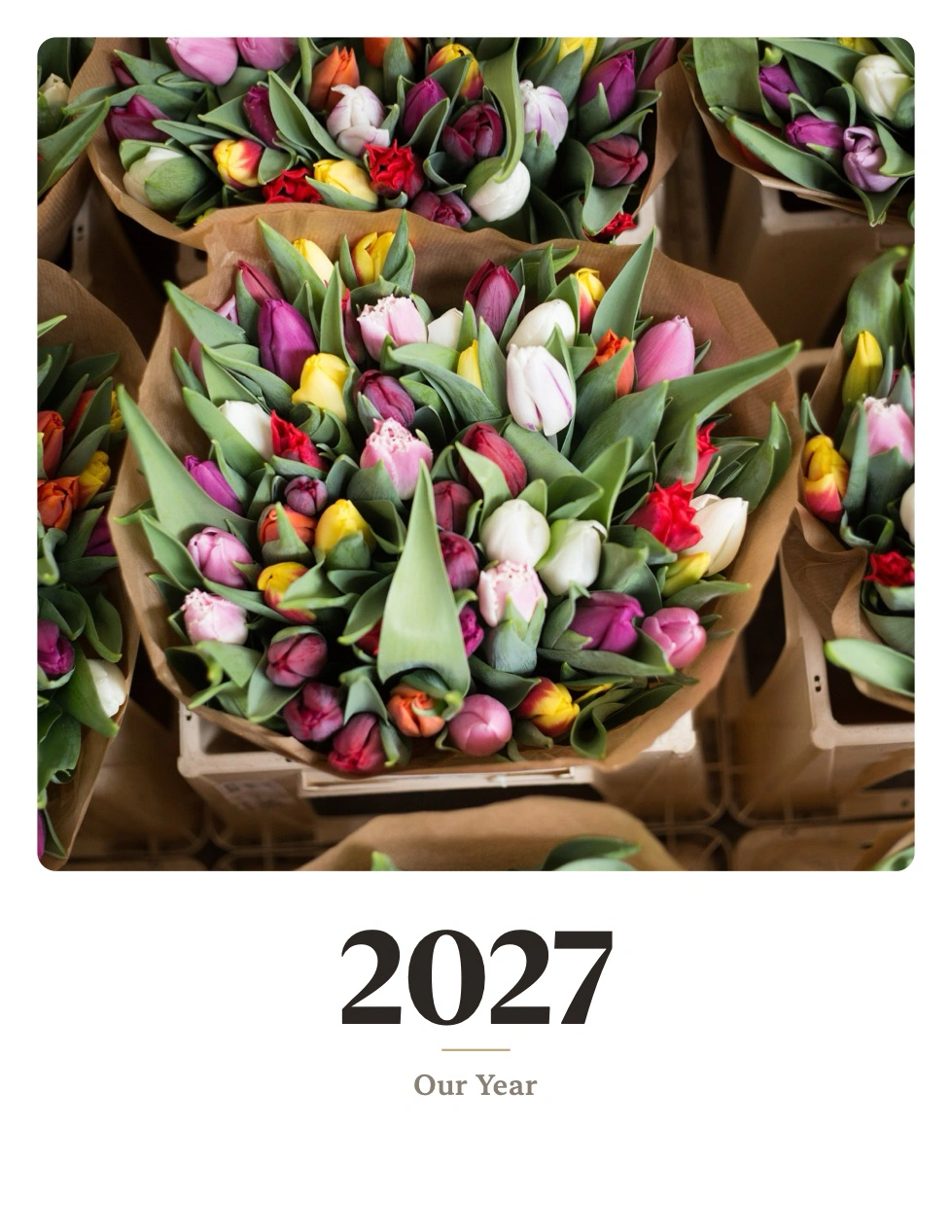
Four steps, then it's done
Every December the same ritual: upload a year of your kids' photos to a photo-gift site, fight the editor, pay for shipping, wait. This is that, minus all of it.
Drop in the photos
One at a time, or twelve at once: January through December fill in order. Months you skip still print, with a seasonal gradient rather than a hole.
Flip the birthdays switch
Monthr reads names and birthdays from Contacts (those two fields, nothing else) and puts them on the right day of the right month.
Add your own dates
Anniversaries, the week Grandma visits, the dog's adoption day. They repeat every year. US holidays are already there if you want them.
Export the PDF
Thirteen pages, US Letter or A4, printer-safe margins. Print it at home or hand the file to a print shop. No shipping, no deadline.
Four looks, not four color swaps
Each theme is a complete identity for the printed page: its own typeface, its own ink, and its own event colors. Holidays, birthdays and your own dates print as tinted chips, so you can tell them apart from across a room. Each one is a starting point rather than a limit: set the calendar in any font installed on your Mac, change any of the five colors, and what you chose follows you when you switch look. Every color is re-mixed before it prints, so nothing you pick can fall below the contrast a small printed date needs, and the ratio is shown while you choose it. One button can also pull all five straight out of your cover photo: they go through the same re-mixing, so a palette you didn't choose by hand still can't print an unreadable date.
Heirloom
Warm serif on cream, the classic family photo book.
Studio
Soft rounded type, bright accents. Clean and modern.
Botanical
Garden greens and serif, made for flowers and travel.
Noir
High-contrast editorial: one red accent, nothing else.
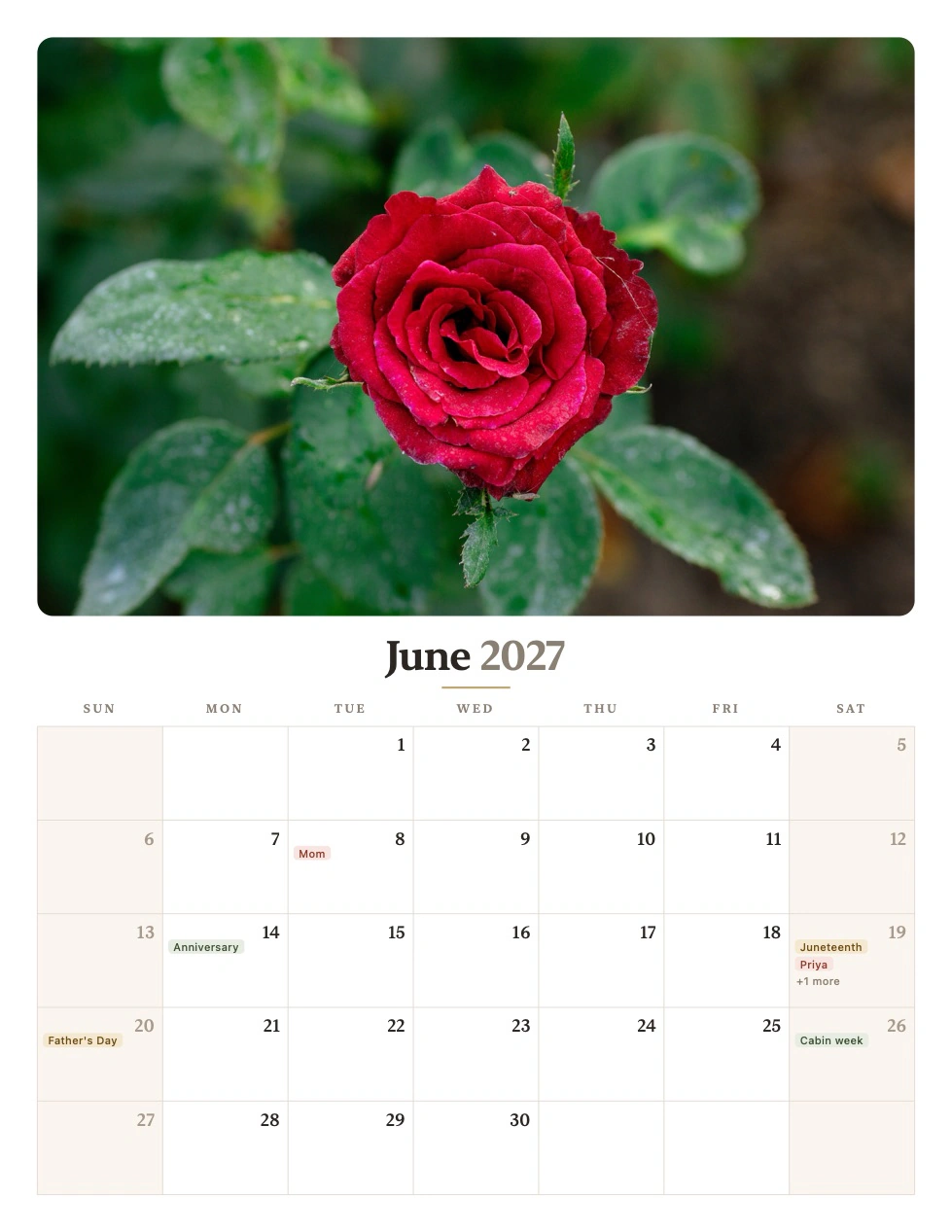
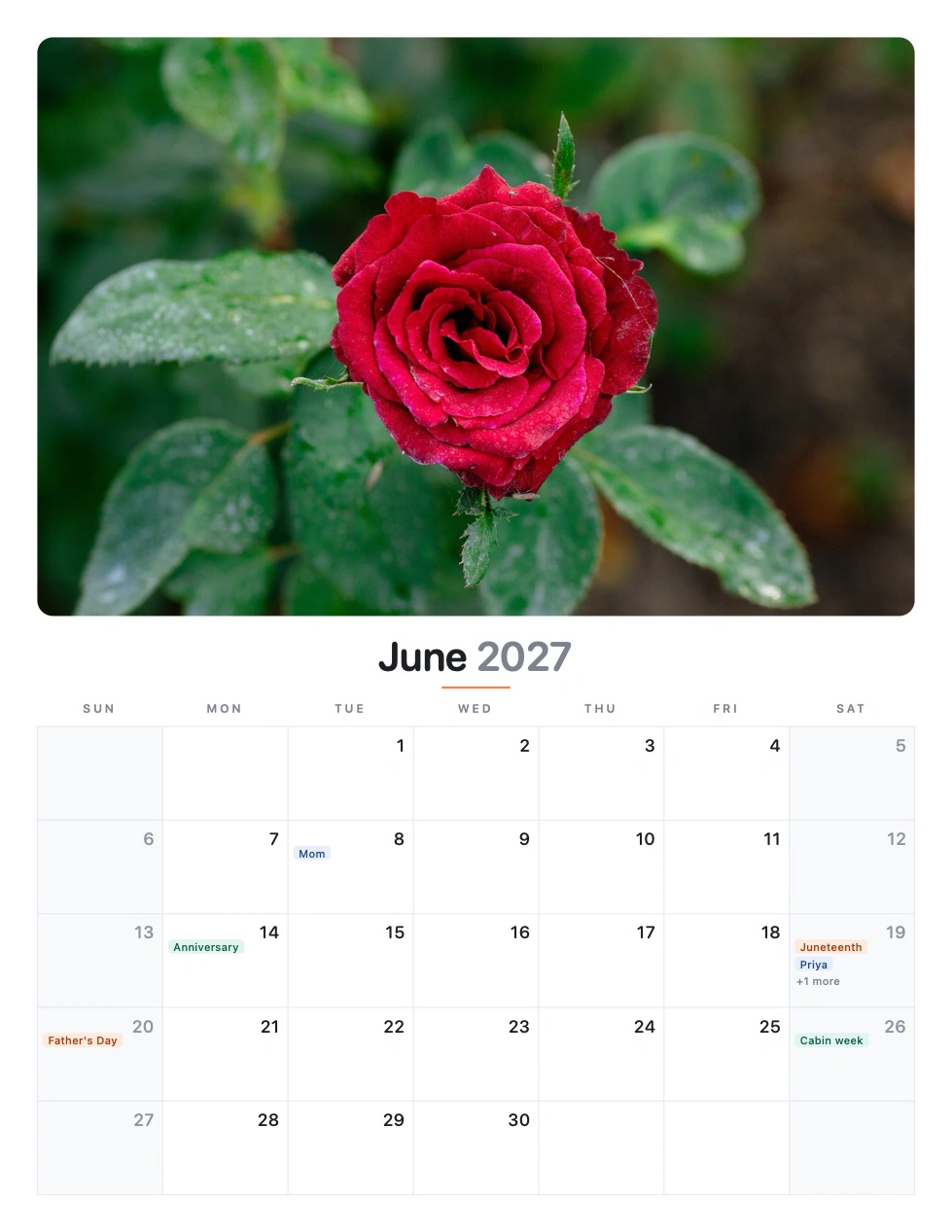
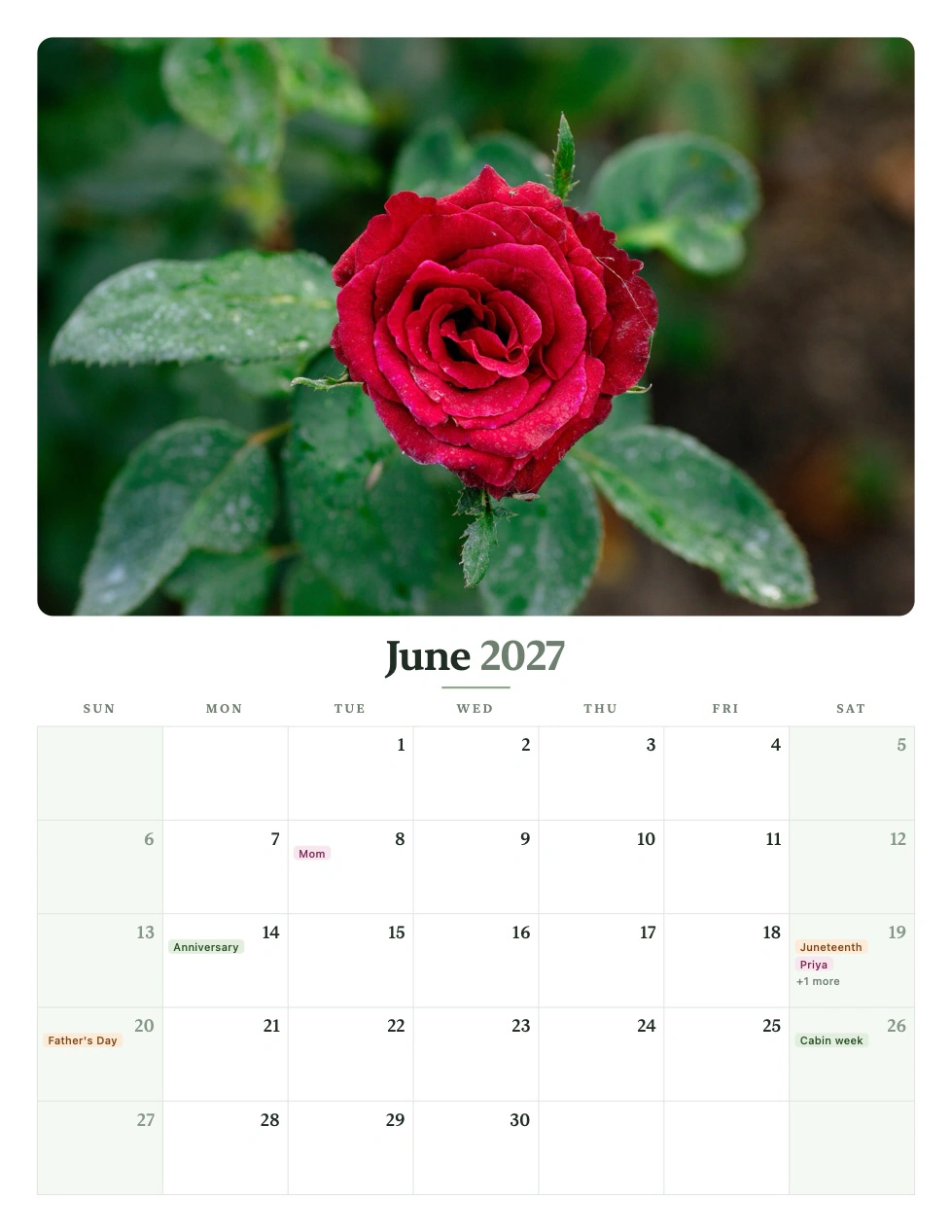
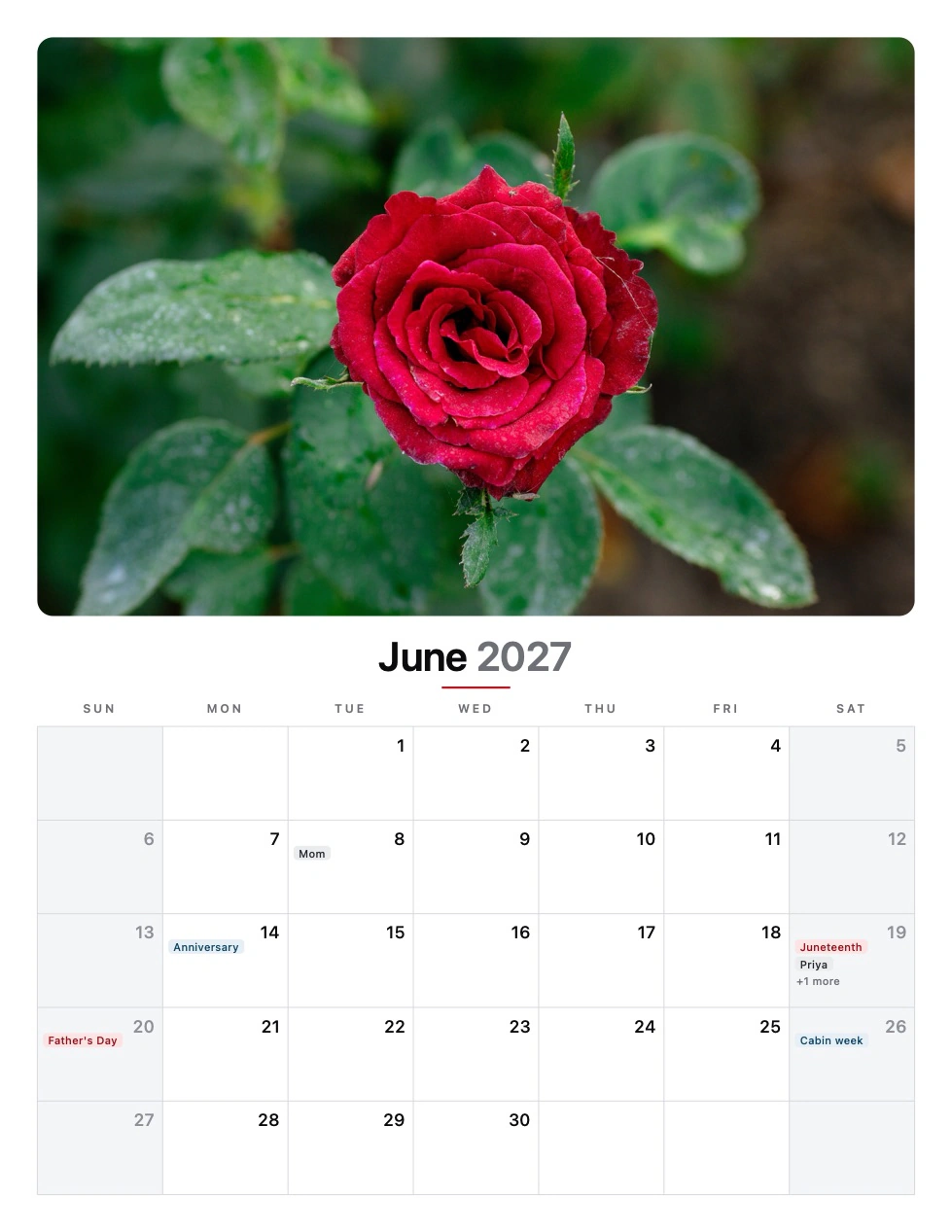
Real pages from Monthr. The same renderer writes your PDF, so this is exactly what prints, down to the type and the event chips.
The details that make it printable
Holidays that are actually right
Fourteen US holidays computed rather than looked up, including the ones that move. Thanksgiving is the fourth Thursday, Memorial Day the last Monday, and Easter comes from the Gregorian computus. Correct for any year you pick.
Zoom that actually zooms
Fit, or 75% to 400%. Pages re-render at the size they're shown, so zooming in to check a name shows real type, not a magnified blur of the same pixels.
What you see is what prints
The live preview asks the same renderer for the same page as the export. There is no second layout engine to drift out of step with the first.
Thirteen languages, including the calendar
Most apps translate the window and print an English page. Pick German and Monthr's calendar reads Januar, starts the week on Montag, and prints its holidays in German too.
Readable by measurement
Every theme's contrast is verified in the test suite, not by eye: chips against their own fill, against the paper, and against the weekend wash. Every chip prints its own name and the kinds keep a stable order, so a black-and-white print still reads.
Warns you before a photo prints soft
Every photo is measured against the size it actually prints at, not how it looks shrunk down on screen. Anything short of print-sharp is called out with its dpi and the pixel size it would need, before you've spent the paper finding out.
Starts from where you are
A new calendar takes its week start and paper size from your Mac's region instead of guessing Sunday and US Letter for everyone: Monday and A4 where that's what people actually print on. Touch either control once and your own choice is remembered from then on.
Updates itself
Checks about once a week, shows you what changed, and refuses any download whose signature doesn't verify. Turn it off in Settings if you'd rather not.
Your family's photos stay on your Mac
This is the whole reason Monthr exists. A photo calendar is the most personal thing most people ever print, and the normal way to make one is to upload a year of your children's faces to a company you've never heard of.
Nothing is uploaded
Photos are read from disk, laid out, and written into a PDF, all locally. Your originals are never modified or moved. Monthr works with the Wi-Fi off.
Contacts, narrowly
Permission is asked for only when you turn birthdays on, and Monthr requests exactly two fields: name and birthday. Say no and the rest of the app is unaffected.
Two connections, both optional
A weekly version check that sends the app version and nothing else, with a switch in Settings. And, only if you enter a business license key, a re-check of that key. No account, no usage analytics. Personal use never contacts us at all.
Free for personal use
No subscription, no per-calendar fee, no shipping. Make as many as you like, every year. If Monthr earns its keep at work, a one-time business license keeps it supported.
- The whole app, no trial timer, no nag screens
- Unlimited calendars, every year
- All four print themes
- Thirteen languages, printed page included
- Free updates, signed and notarized
- Everything in Personal
- Use commercially at work
- Calendars for clients, staff and giveaways
- One-time payment, no subscription
- Free updates forever
- Supports solo indie development
The personal tier is the full app. Buy a business license only if you use Monthr at work. One seat per device, paid once, yours for life. Secure checkout via Stripe; your license key is emailed instantly.
Monthr.dmg this page serves.SHA-256 checksum
Or have your Mac compare them for you: save Monthr.dmg.sha256 beside the download and run shasum -a 256 -c Monthr.dmg.sha256.
Questions
Is Monthr really free?
Personal use is free forever: the whole app, unlimited calendars, no account, no trial timer, no nag screens. If you use Monthr at work, a one-time $5 business license per device keeps it supported.
Does Monthr upload my photos?
No. Your photos are read from disk, laid out, and written into a PDF entirely on your Mac. Nothing is uploaded, and your originals are never modified or moved. Monthr contacts twoplus11.com for two things only: a check about once a week for a new version, which sends the app version and nothing else and can be switched off in Settings, and, only if you have entered a business license key, a re-check of that key. On personal use with the update check off, Monthr makes no network connections at all.
What do I get at the end?
A 13-page PDF (a cover page plus January through December), sized for US Letter or A4 with printer-safe margins. Print it at home, or hand the file to a print shop. Monthr doesn't sell you a printed calendar; it gives you the file, which is why there's no shipping and no deadline.
How does it know my family's birthdays?
From Contacts, if you turn that switch on. macOS asks for permission the first time, and Monthr reads only two fields: name and birthday. Leap-day birthdays land on February 28 in non-leap years rather than disappearing.
Do I have to fill all twelve months?
No. Empty months still print (they get a seasonal gradient rather than a blank hole), so a half-finished calendar is still a usable one.
Is the calendar itself translated?
Yes, and that's the part most apps miss. Monthr ships thirteen languages, and picking one changes the printed page as well as the window: month names, weekday headers and holiday names all follow it.
Which holidays does it show?
Fourteen US holidays, computed rather than looked up, so they're right for any year: New Year's Day, MLK Day, Presidents' Day, Easter, Mother's Day, Memorial Day, Father's Day, Juneteenth, Independence Day, Labor Day, Halloween, Veterans Day, Thanksgiving and Christmas. The whole set is one switch.
Will macOS warn me about an unidentified developer?
No. Monthr is signed with an Apple Developer ID and notarized by Apple, so it opens with a normal double-click the first time: no Open Anyway trip through System Settings, no Terminal.
How do I update Monthr?
Monthr updates itself. It checks about once a week and, when a new version is out, shows you what changed and offers to install it. The download is signature-checked, and one that doesn't verify is refused. You can also check on demand from the Monthr menu, turn the automatic check off in Settings, or download the DMG from this page.
Like what I make?
All my apps are free for personal use. If they save you time or make your day a little easier, a tip keeps me going. It goes straight to development, no middleman.