Operations
Make the equation true.
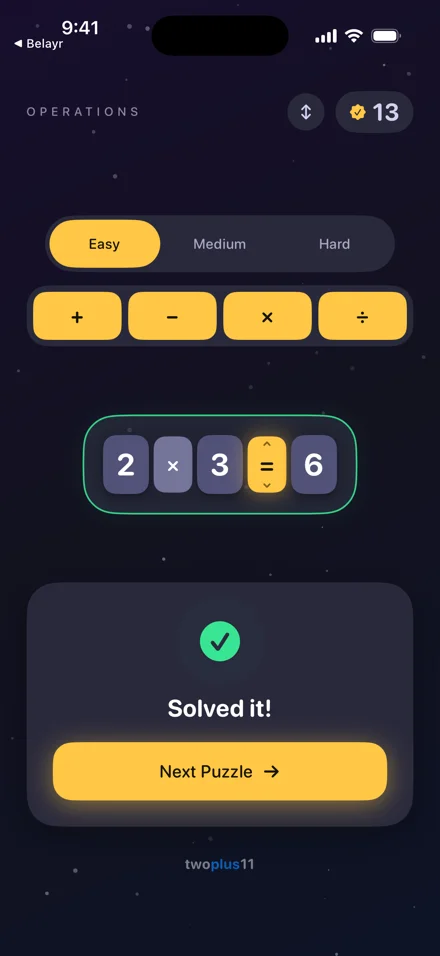
You get a row of numbers with empty slots between them. Fill every slot so the row reads as something true. The catch is that the equals sign is one of the signs you place, so you decide where the two sides meet.
Free. No ads, no purchases, no accounts, no data collected.
- FreeNo purchases
- 0Data collected
- 13Languages
- 4+Age rating
- 0.7MBDownload
Try it right here
No download needed to see the idea
This is the real mechanic, running in the page. Step a slot through the signs until the row reads true. The equals sign is in the dial with the rest of them.
Click a slot to step to the next sign. With a slot focused, Up and Down spin through them and Backspace empties it. The list wraps, so nothing is more than a flick away.
Turn your phone
It plays in landscape too
Landscape is not a stretched portrait screen. The difficulty and the operation switches move up into one row along the top, and the equation takes the width it just gained. Captured on an iPhone 17 Pro.
-
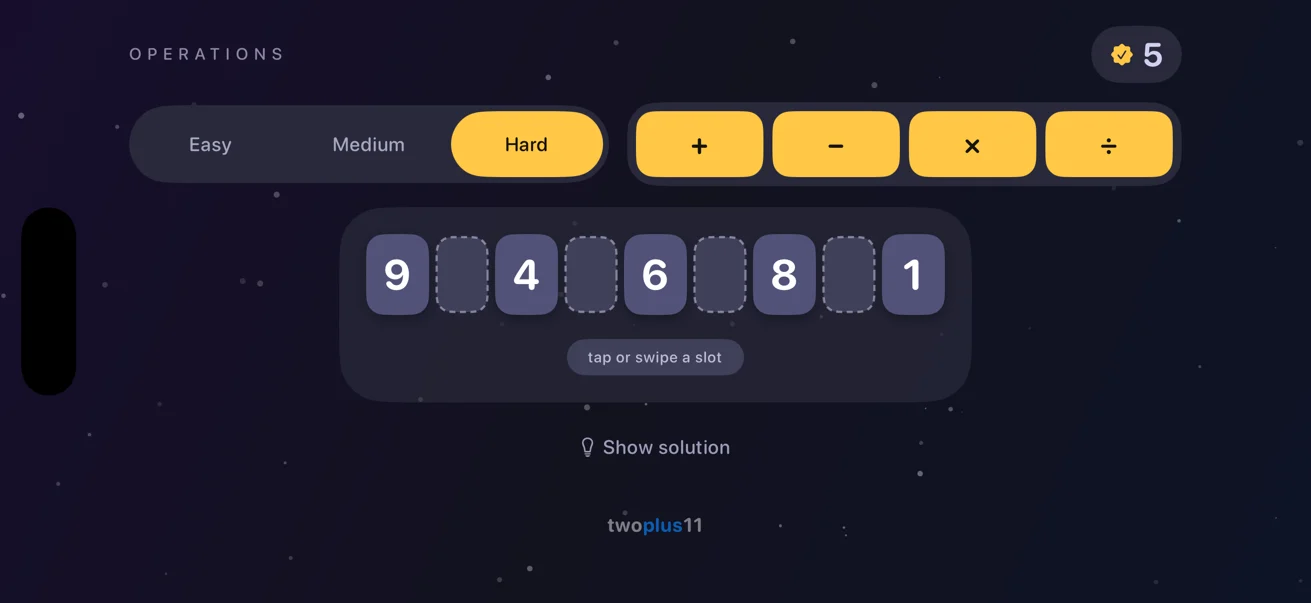
Hard, in landscape. Four operands and eight tiles sit on one line. In portrait the same row stands on its side to fit. -
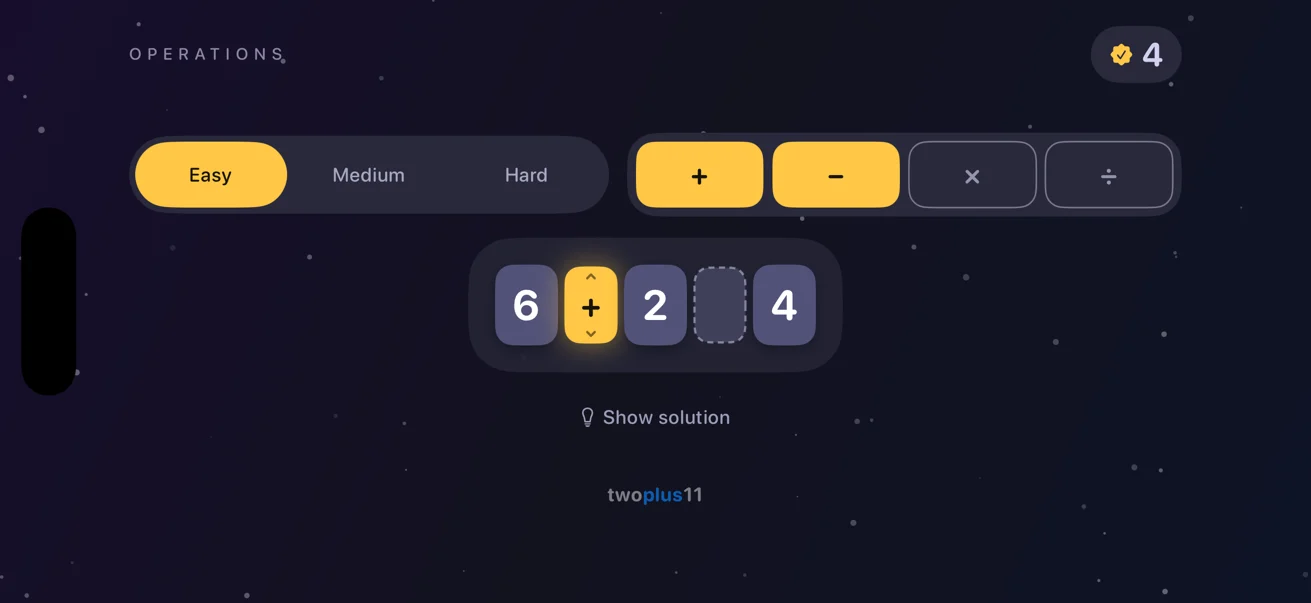
A slot, mid-spin. The chevrons above and below are the dial. Only plus and minus are switched on here, so those are the only signs it will offer. -
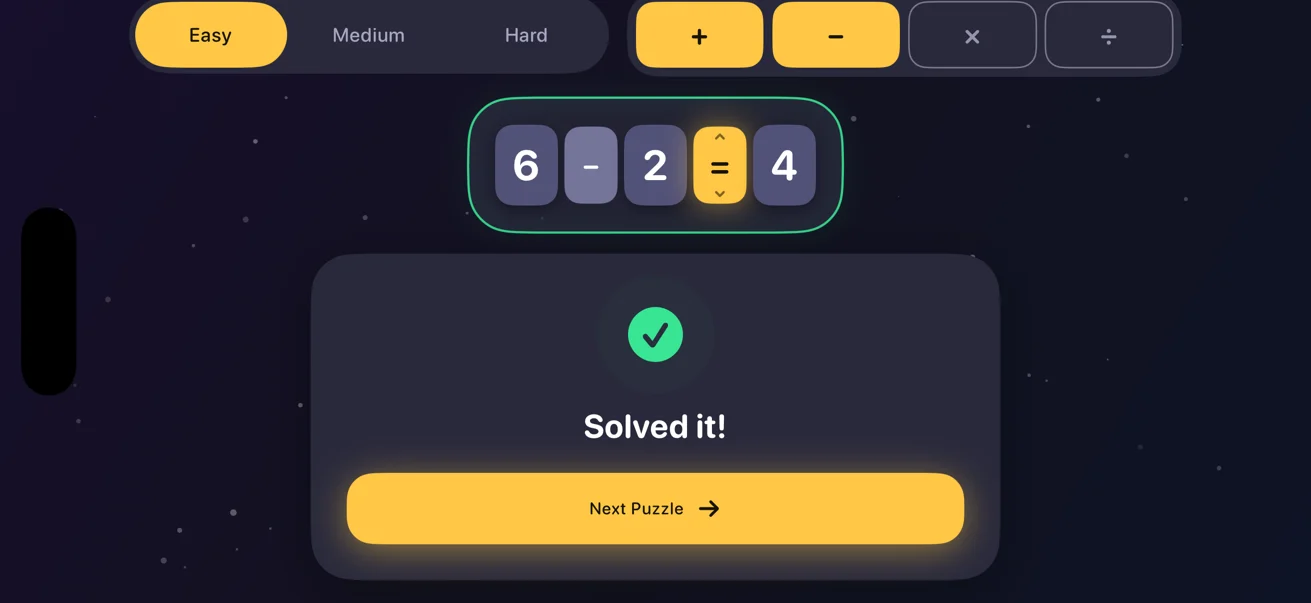
Solved. The ring turns green the moment the row reads true, and the next one is one tap away.
And in portrait
Three sizes, one gesture
-
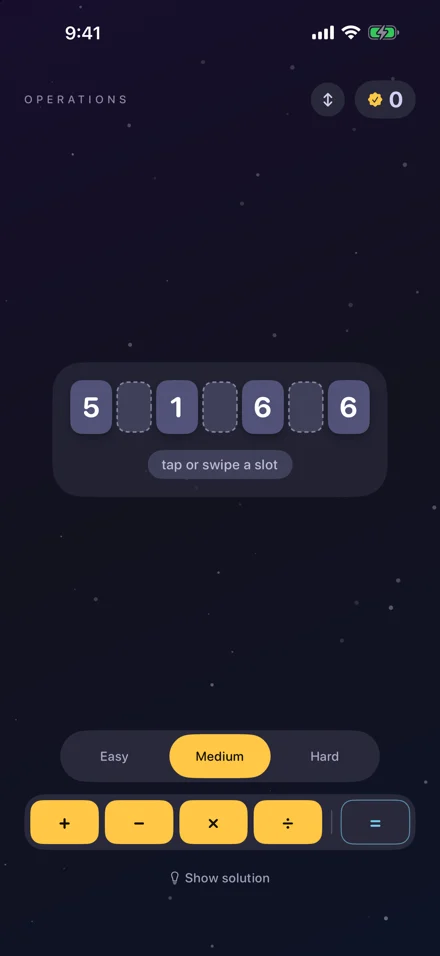
Medium. Three operands. -
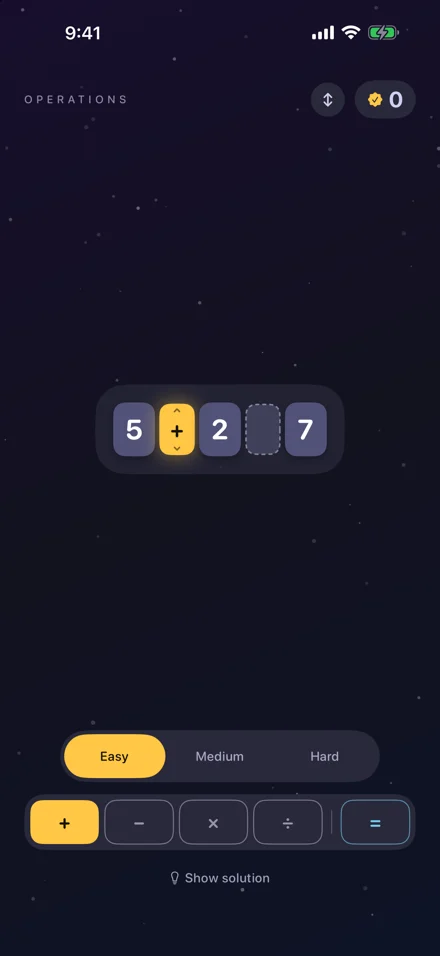
The dial. Tap to step, swipe to spin. -
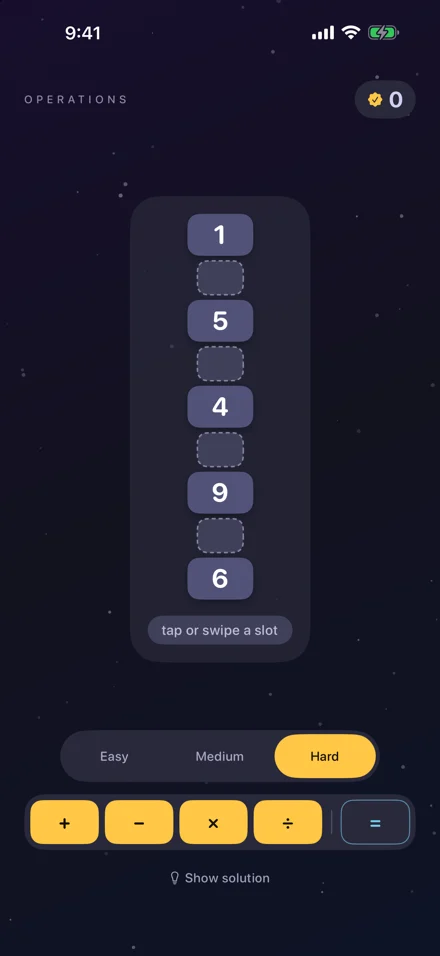
Hard. The row stands on its side so four operands still fit.
What makes it different
The equals is yours to place
Most math puzzles hand you a fixed left and right side. Here the equals sign is one of the signs in the dial, so you decide where the two sides meet. That is why a row can end up reading 5 = 5 = 4 + 1, and why there is often more than one way to be right.
Every slot is a dial
Tap a slot to step to the next sign, or swipe up and down to spin through them. The list wraps, so nothing is ever more than a flick away. There is no keypad, and no menu to open.
Choose the math
Switch off any operation you do not want. Leave only addition and a five year old can play the same game you do. Every puzzle is generated to be solvable with exactly the signs you left switched on, so the dial never withholds something the puzzle needs.
Three sizes
Easy is two operands, like 1 + 3 = 4. Medium is three. Hard is four, and in portrait the row stands on its side so it still fits the screen. Works on iPhone and iPad, either way up.
Free, and actually free
Nothing is collected, because nothing is sent
No ads. No in-app purchases. No accounts. No analytics. The app makes no network requests at all, because there is no networking code in the build. There is no third party code of any kind, no advertising identifier and no tracking.
The only thing it stores is your solve count and your own settings, on your device. Delete the app and they are gone with it.
Made to be used by everyone
Accessibility that is checked, not claimed
- Full VoiceOver support, reading the whole statement rather than a list of fragments.
- Dynamic Type, so the row follows the text size you already chose.
- Every colour is contrast tested against WCAG 2.1 AA by an automated test rather than by eye. The test walks the palette the app actually ships, so dimming anything below AA fails the build instead of shipping.
- Respects Reduce Motion.
- Every control is a real control, with a label, at a size a thumb can hit.
Available in 13 languages:
- English
- Deutsch
- Español
- Français
- Italiano
- Nederlands
- Polski
- Português (BR)
- Русский
- Türkçe
- 日本語
- 한국어
- 简体中文
Get it, or ask about it
Operations is on the App Store now, free, for iPhone and iPad running iOS 17 or later. An Android build exists and is waiting on its Google Play listing.